
How it works
From online order to secure pickup
Step by step
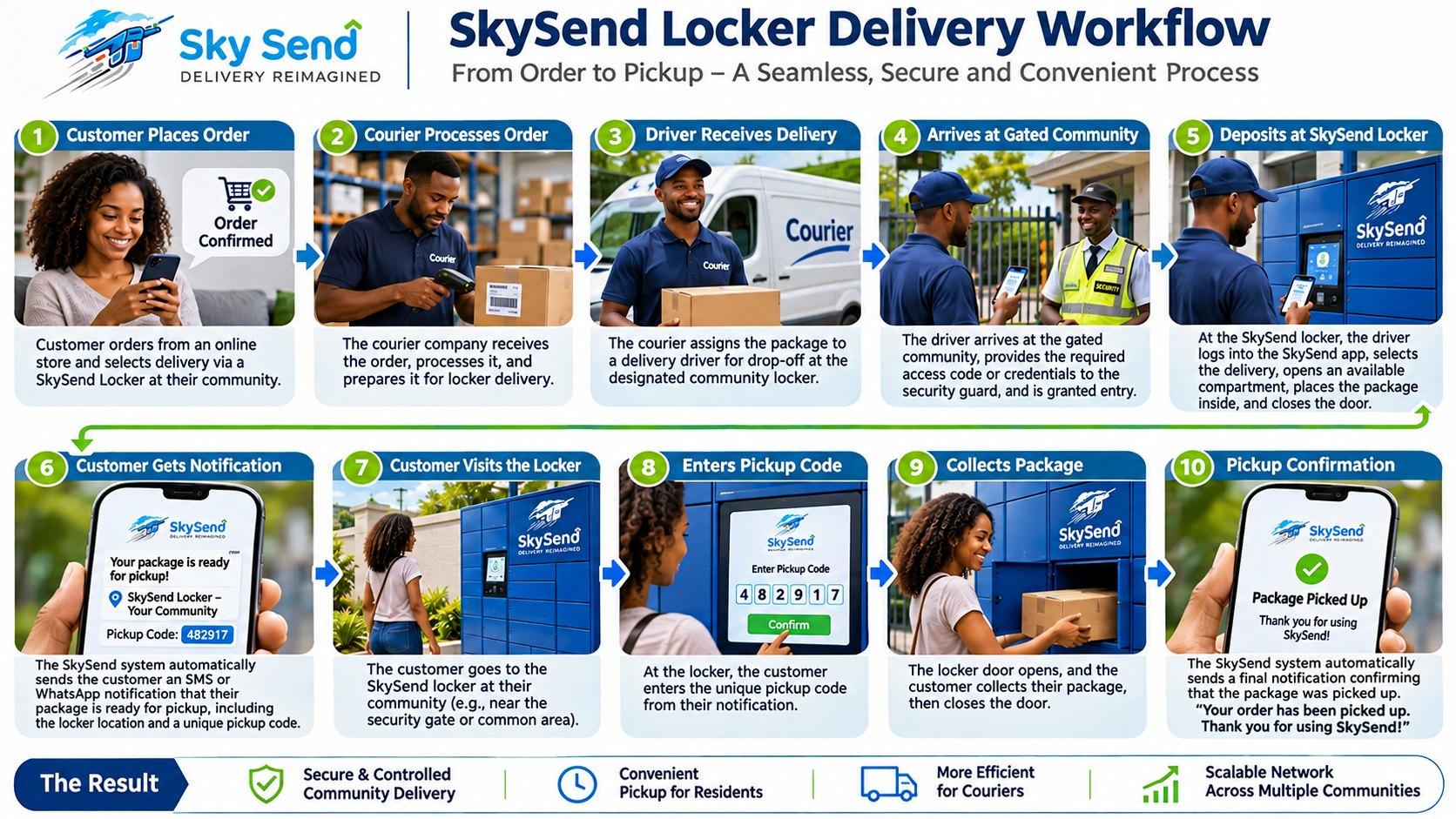
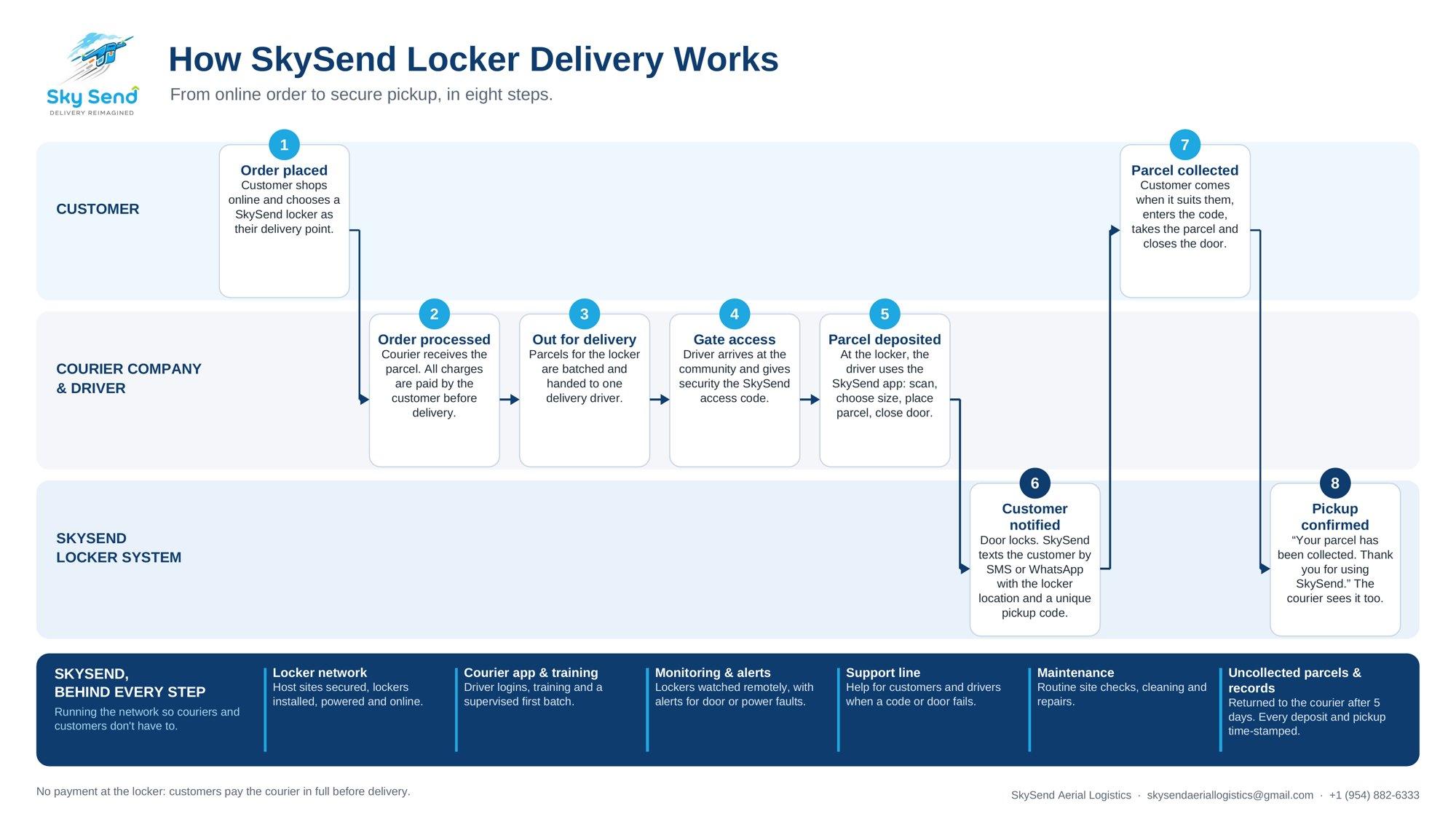
Eight steps, three parties
- 1Customer
Places an order
The customer shops online and chooses delivery to the SkySend locker in their community.
- 2Courier
Processes the order
The courier company receives the parcel. All charges are paid by the customer before delivery.
- 3Courier
Sends it out
Parcels for the locker are grouped and handed to one delivery driver.
- 4Courier
Arrives at the community
The driver checks in with gate security, following the community's access rules.
- 5Courier
Deposits the parcel
Using the SkySend courier app, the driver scans the locker, places the parcel and closes the door.
- 6SkySend
Notifies the customer
The door locks and the customer receives a text with the locker location and a unique pickup code.
- 7Customer
Collects the parcel
The customer enters the code when it suits them, takes the parcel and closes the door.
- 8SkySend
Confirms pickup
The pickup is recorded and confirmed, and the courier can see that the parcel was collected.
Who does what
Couriers deliver. SkySend runs the network.
Behind every parcel, SkySend manages the locker network, the software, notifications, monitoring, support, maintenance and uncollected parcels.
Ready to get started?
Bring a locker to your property, or start delivering to the SkySend network.